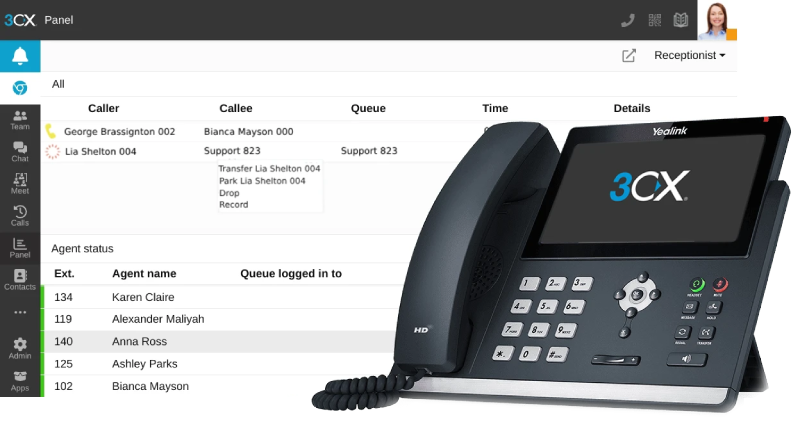
Before the Holidays: 3 Things to Check on Your 3CX Phone System

Is Every PC in Your Office Still Getting Security Updates? Two Windows Deadlines That Just Passed
November 24, 2026
Holiday Scam Season 2026: The FBI’s Latest Numbers and the Payment Scam Hitting Small Businesses
November 24, 2026Before the Holidays: 3 Things to Check on Your 3CX Phone System

Thanksgiving, Christmas and New Year’s all land in the next few weeks, and they’re when phone systems get noticed most. A caller who hears “we’re open” on a day you’re closed, or who rings forever with nobody answering, remembers it. If your business runs on 3CX, here are three things worth checking now.
1. Set your holiday hours and greetings
3CX lets you add office holidays ahead of time so the system switches to your closed routing automatically. The latest release, V20 Update 9, goes a step further: holiday greetings can now be set separately for queues, ring groups, IVR menus and departments. Each one can use its department’s holiday message or a custom one.
Take ten minutes to:
- Add every day your office will be closed or close early.
- Record a short holiday greeting with your reopening date and an emergency option if you offer one.
- Make sure after-hours calls go somewhere useful, such as voicemail that emails the right person, an on-call cell phone or an answering service.
2. Get on Update 9
Released this summer, Update 9 is one of the biggest refreshes 3CX has shipped in a while:
- A redesigned web client and dialer, plus a compact team view that helps receptionists juggling several calls.
- Better call queues: callers can press a key to request a callback without losing their place, hear wait-time estimates, and get routed to a wider group of staff when waits run long.
- Smarter AI tools, including spam call filtering for AI agents, an AI personal assistant that decides which calls are urgent enough to interrupt you, and the option to email callers follow-ups and call summaries.
Update 8, released earlier in the year, added the 3CX AI Receptionist, which can answer and route calls around the clock. That’s worth a look if holiday weeks leave your front desk short-staffed. It connects to your own AI provider account, so it takes a little setup.
3. Retire the old 3CX Desktop App
If anyone on your team still uses the older 3CX Desktop App for Windows (the one installed years ago, before V20), it’s time to move them. 3CX has deprecated that app and advised users to switch to the current Windows Softphone app from the Microsoft Store, or to the web client. Doing it now, on your schedule, beats finding out it stopped connecting on a busy morning.
We can help
Preferred IT Solutions is a 3CX partner, and we set up and support business phone systems across the Pittsburgh area. We can review your holiday routing, apply updates and move your team to the current apps, usually remotely. Call us at (412) 517-6777 or send us a message.